Troubleshooting redundant session ID problem
Problem Description:
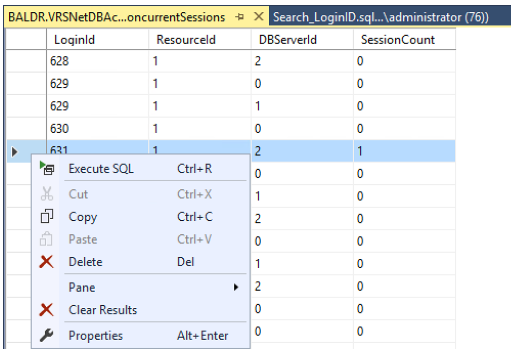
Concurrent Sessions for this user were out of sync, which was causing the user to be kicked off the RTOs upon login. The solution was to delete the row associated with the session on the production server in the Accounting DB -> dbo.ConcurrentSessions.
Here is a more detailed explanation of the fix by Trimble support:
- This is an issue that happens occasionally with the Concurrent Sessions table. The table will show that the user is connected even after they close the session on the rover. This prevents the user from re-logging in.
- Normally with this issue, the user is not able to log in, even with an internet radio tool. In this case, the complex DBServer environment made it possible for the user to login both with the rover and the internet radio tool. Each server connected to this DB has a unique DBServer ID with a shared accounting database. This created three unique Concurrent Sessions for this user, making it possible for them to log in. One of these sessions did not disconnect properly, which had the effect of kicking the user off any mountpoint they tried to connect to.
- Vasiliy removed and reinserted the NTRIP Caster module on the backup server. This had the effect of resetting all of the Concurrent Sessions for each user and made it possible for the dealer to login successfully.
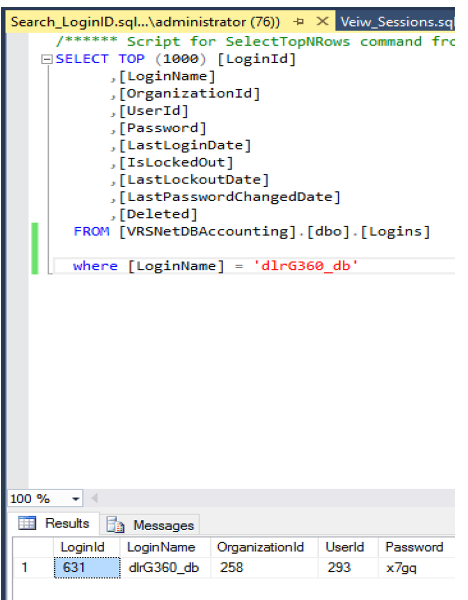
- In the Accounting DB, we found the Login ID for this user in dbo.Logins. We used this ID to locate the Concurrent Sessions for this user in dbo.ConcurrentSessions.
- We identified which unique DBServer ID was associated with the Production server (ID #2).
- There is a Concurrent Session associated with each DBServer ID. We removed the row associated with this login ID and this DBServer ID.
Below are SQL steps:
Search for LoginID in dbo.Logins table for account name that is having issues using Search_LoginID.sql query.
- Use VewSessions.sql to look up concurrent sessions. If Session Count 1 exists in both Server ID 1 and 2 proceed to step 3 to clear redundant sessions (Note: screenshot below doesn’t show the problem, only where to look for it). Also, ignore DBServerID 0 as it doesn’t pertain to our setup.
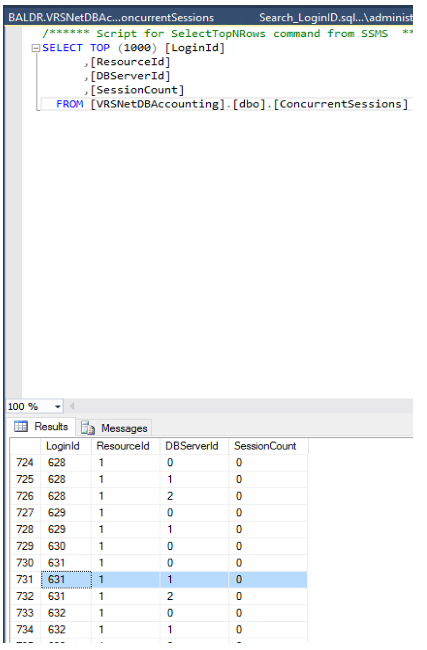
- Proceed to clearing redundant sessions by opening edit table. dbo. ConcurrentSessions.
Right click on the table and select Edit Top 200 Rows.
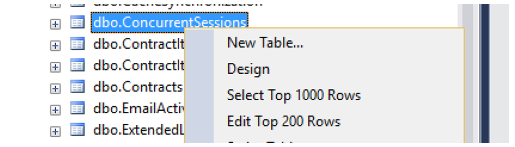
If session ID is greater than 200 go to query Properties and change Tor Specification-> Expression field value to 1000:
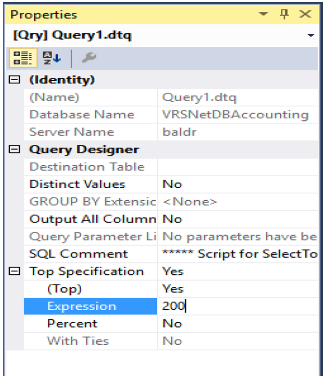
Right click on LoginID and delete both lines for DBServerID 1 and 2.